Tap Button
Tap Buttons require a single tap to action their command.
They are useful for actioning commands repeatedly and in quick secession.
Please note that Tap Buttons do not require a touch cycle meaning that they can be accidentally triggered.
Action Map
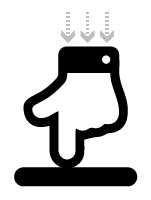
The action map below details the point at which commands are sent
 |  |  |  | |
|---|---|---|---|---|
| Touch Ready | Touch Begin | Touch Hold | Touch Release | Touch End |
| X | On Mode | X | X | X |
Control Methods
| Type | On Mode | Off Mode |
|---|---|---|
| MIDI | MIDI Channel, Note, Velocity | N/A |
| OSC | OSC Message, Patch | N/A |
| HTTP | HTTP Address, Patch | N/A |
| TCP | TCP String, Patch | N/A |
| UDP | UDP String, Patch | N/A |
| sACN | sACN Patch, Channel, Value | N/A |
| Audio | Audio ID, Volume | N/A |
| Video | Video, Layer, Volume, Scale X, Scale Y, Position X, Position Y, Opacity | N/A |
API Methods
Use external applications to operate this control with the API via OSC.
Send the string /ctrl/control/[uid]/[command] with the control's UID and selected command.
The default port for Ctrl for iPads OSC API is 53000. This can be modified by navigating to the settings menu and modifying the global OSC input port.
OSC Commands
| Command | |
|---|---|
/enabled [Int] | Enable or disable the control (0 - Disabled, 1 - Enabled) |
/theme [Int] | Change the theme of the control (Int 1 to 14) |
/theme [Int] [String] | Change the theme of the control using custom palette |
/label [String] | Change the label of the control for the session name (Int 1 to 14) |
/flash [Int] | Set the control to flash to indicate attention is required (0 - Off, 1 - On) |
Alternatively, you can create a Custom OSC Binding for this control for any of the attributes listed above.