Logging
The Logging process blocks allow any value within a Ctrl Suite process to be written to Ctrl Suite's console log (Viewable in the Ctrl Engine web interface, Ctrl Engine Manager main window & Ctrl Designer's Console Window when connected to the Engine running the workspace).
These blocks are an invaluable troubleshooting and diagnostics tool when building complex systems.
Use cases include:
- Visualising realtime data changes.
- Ensuring data is received by the system.
- Setting flags to capture errors and writing them to the log.
- Write Events to the log.
Block Types
All logging blocks perform the same basic function; writing the information they recive in their Input node to Ctrl Suite's Console Log and passing the data received through to their Output node.
These can be used inline or end of line, and data objects that enter the block are automatically "stringified".
The type of block used determines the type of log message that the data will be presnted as within the console log.
Verbose
This block should typically be used to present broad data, (i.e. the entirety of a request received from an input).
Note: If wanting to view the level of a Variable within Ctrl Suite, it may be simpler to use the Variables Viewer within Ctrl Designer
Info
This block should typically be used to present System Events & key information, (i.e. state changes, button presses etc).
Warn
This block should typically be used to present non-critical events and warnings, (i.e. if a value falls outside of an expected range).
Error
This block should typically be used to present significant issues, (i.e. If a value falls into an unaccepted range).
Example
The images below show a mock-up visual process that illustrates how the content of blocks is shown wihin the Console Log:
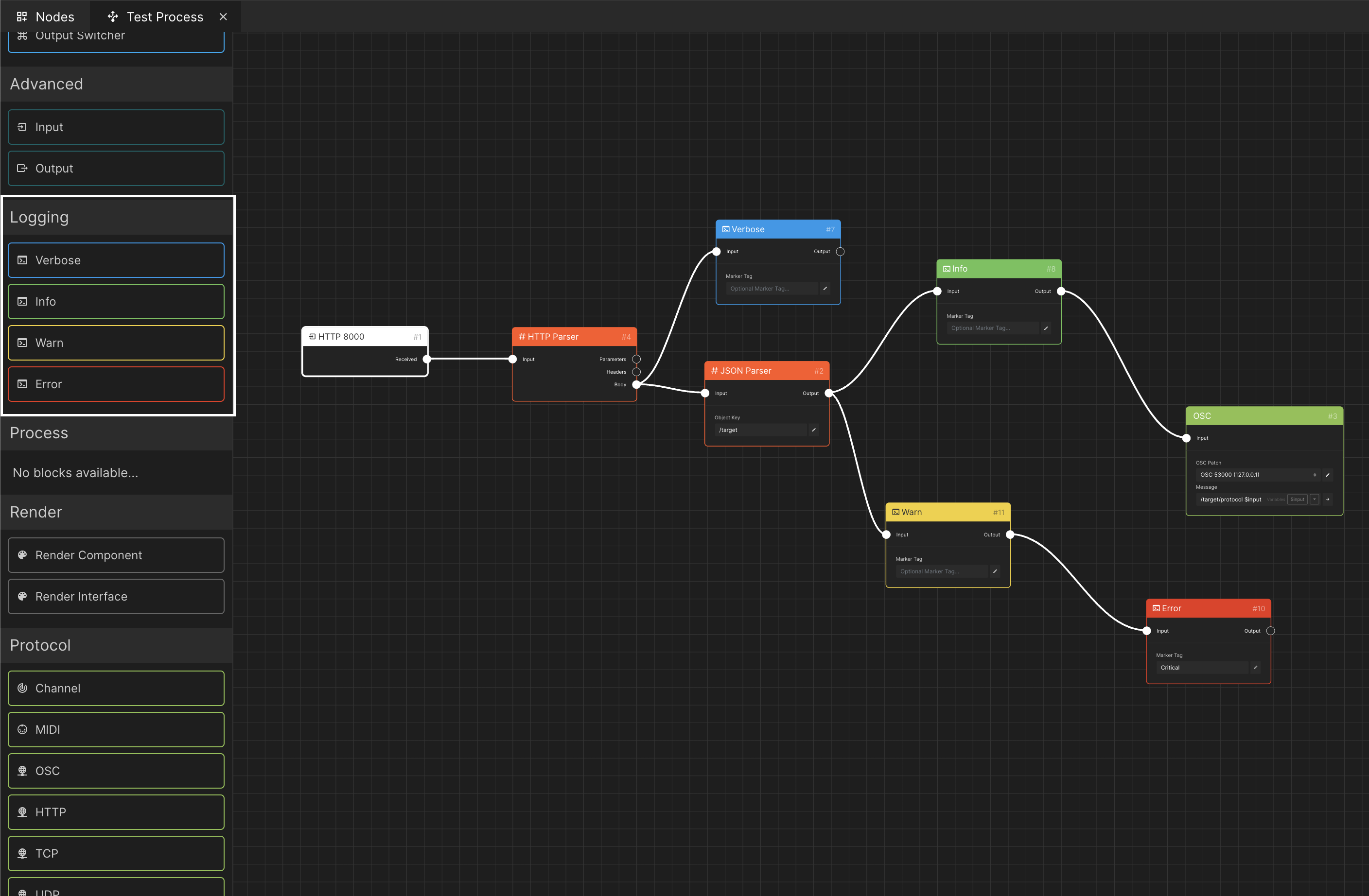
- An HTTP Input block using Port 8000 is receiving data into the system.
- An HTTP Parser is used to extract the Body of the request.
- The Entirety of the Body is printed to the Console Log under the Verbose type.
- A JSON Parser is used to filter out all content apart from requests containing the Object Key
/target. - The output of the JSON Parser is fed to the Info and Warn logging blocks, that write an identical value to the Console Log.
- The output of the Warn logging block is linked to an Error logging block. Consiquently the same message is displayed.
- The output of the OSC block is used to trigger an OSC Protocol Block to send a command to the the wider network.
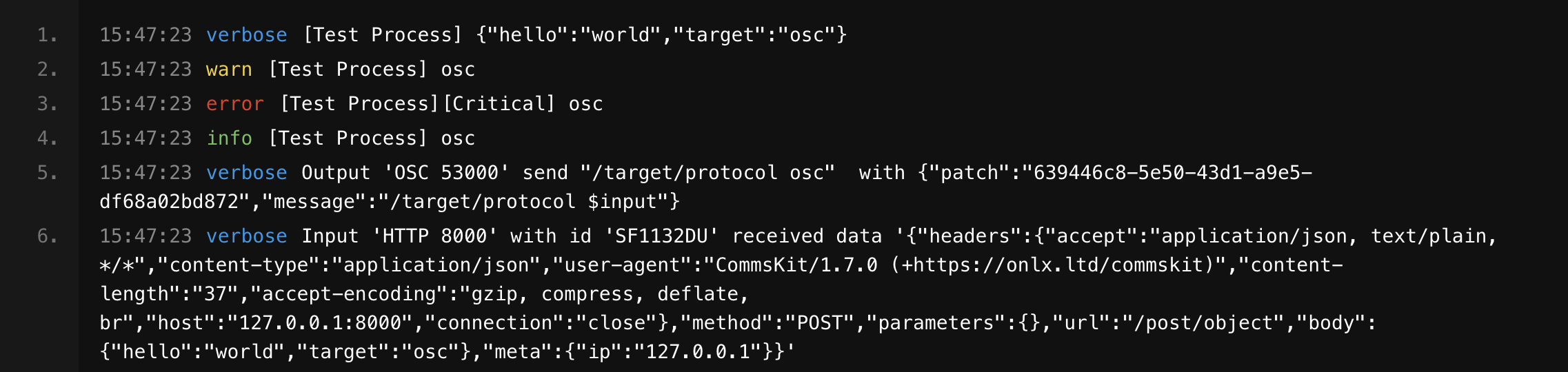
The Output shown within the Console log when an HTTP Request is received is listed above.
Troubleshooting
To ensure the console log displays the correct outputs, make sure you have Synced the latest version of your workspace to Ctrl Engine and have cleared out any old conent in the log.